How to Pick a Six-Digit Passcode Strangers Can't Guess

A private room on Walkie Talkie HRL is locked by two things: a channel code that gets you to the door, and a six-digit passcode that gets you inside. The channel code can circulate fairly freely. The passcode is the part doing the real work, so it deserves more thought than most people give it. Here's how to pick one that a stranger, or a coworker who wasn't invited, is unlikely to stumble into.
Why the passcode carries so much weight
Think of the channel code as the street address and the passcode as the lock on the door. Anyone can find an address, but the lock is what decides who actually gets in. A six-digit passcode has a million possible combinations, which is plenty of room to be unpredictable, but only if you actually use that range instead of narrowing it down to the handful of combinations people tend to pick without thinking.

What makes a passcode easy to guess
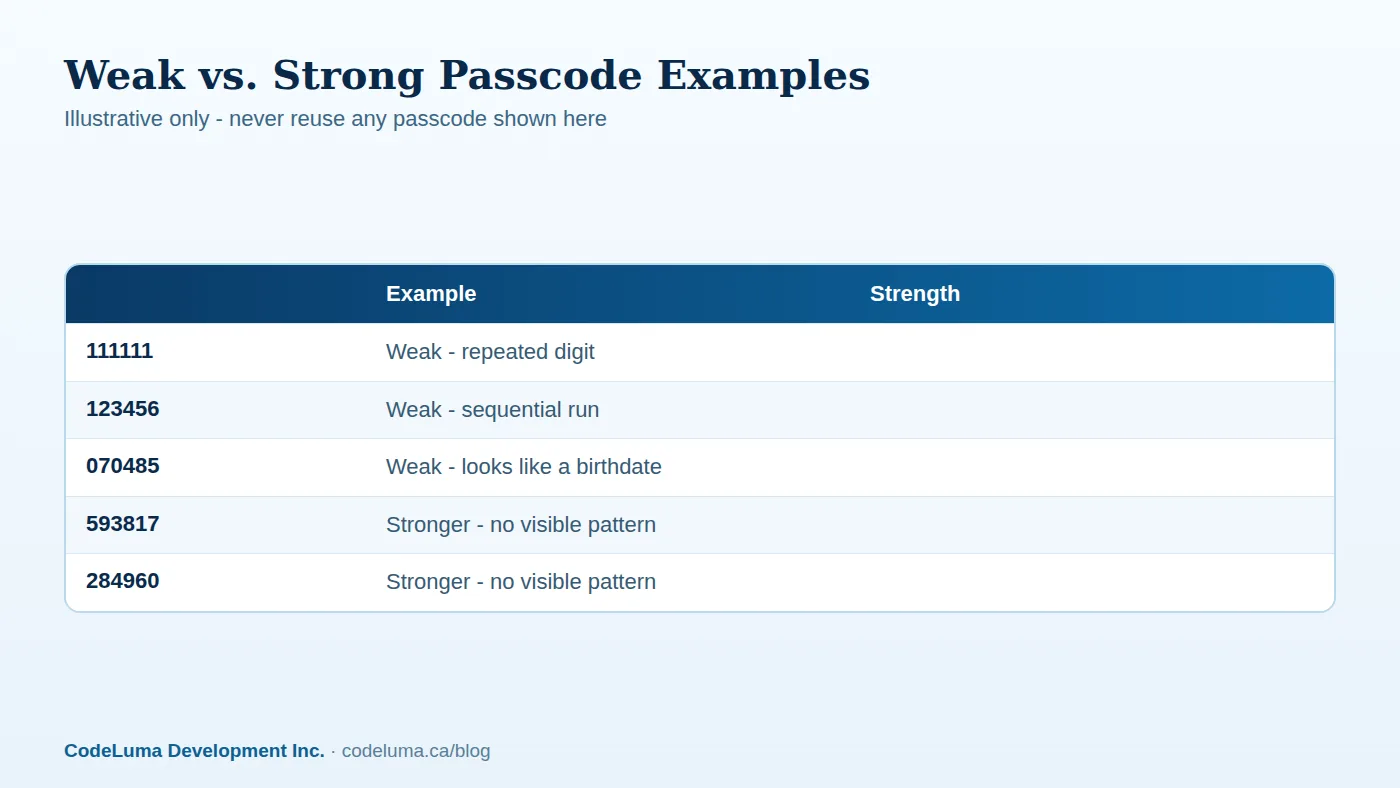
People default to patterns because patterns are easy to remember. That's exactly the problem. Dates, repeated digits, and simple counting sequences are the first things anyone would try if they were guessing, whether that's a curious stranger or someone who used to be in your room and is trying to get back in.
- Birthdays, anniversaries, or graduation years
- Repeated digits like 222222 or 999999
- Sequential runs like 123456 or 654321
- Parts of a phone number, street address, or zip code
- The same six digits you already use for a phone lock or debit card PIN
What a stronger passcode looks like
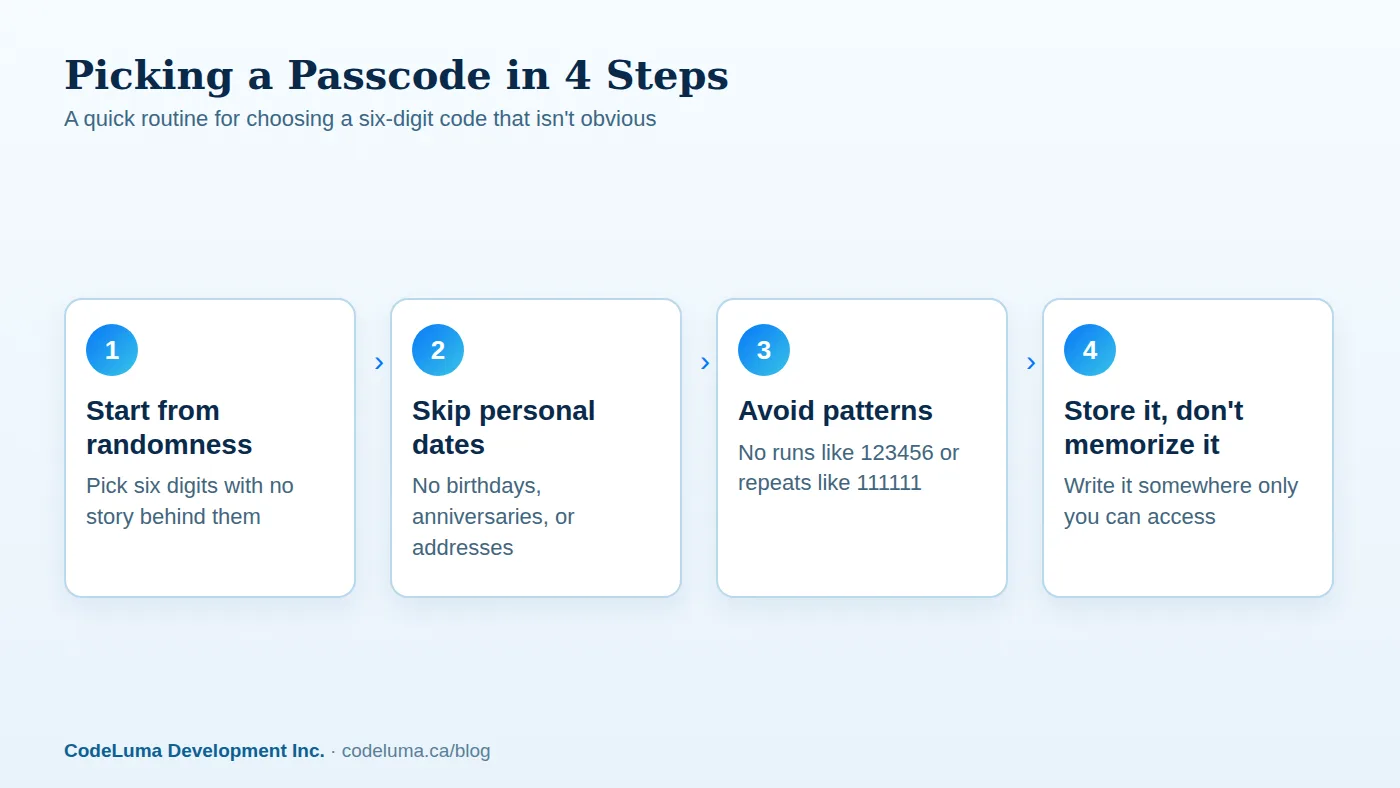
A stronger passcode has no story attached to it. It doesn't spell anything, doesn't count up or down, and doesn't repeat. The easiest way to get there is to let randomness do the work instead of trying to invent something memorable on the spot. Close your eyes and tap six digits, use a phone's built-in random number feature, or jot down six digits from somewhere unrelated to you, like the middle digits of a receipt total.
A simple step-by-step for picking yours
- Decide the passcode isn't going to be a date, a name spelled in numbers, or anything else with meaning attached.
- Generate six digits at random rather than composing them from memory.
- Scan the result for obvious runs or repeats and swap digits if you spot any.
- Set it as your room's passcode when you create the channel in the app.
- Write it down somewhere private rather than trying to memorize it under pressure.
Where to actually keep it
A strong passcode you can't recall is no better than a weak one you can. Once you've picked something random, write it down in a place only you control, a password manager note, a locked notes app, or a physical notebook that doesn't travel with a phone you might lose. Avoid texting it to yourself as the only copy, since that just moves the exposure from the room to your messages.
Who should actually get the code
A good passcode only matters if you're also careful about who receives it. Share it directly, in person or over a message to the specific people who need it, rather than posting it somewhere a wider group can see, like a public group chat, a shared document everyone on staff can open, or a sign taped to a wall. The point of a private room is that the people inside chose to be there, and that only holds if the code travels the same deliberate way.
Removing people instead of just hoping they forget
People leave teams, trips end, and seasonal staff rotate out. When that happens, don't rely on them simply forgetting the passcode. Room owners can remove participants directly, and that's the cleaner move whenever someone's reason for being in the room has ended. If you're managing a family room or a security team's channel with regular turnover, make removing departed members a normal part of the routine, not an afterthought.

Don't reuse passcodes across rooms
It's tempting to pick one good passcode and use it everywhere, since it's one less thing to remember. Resist that. If one room's code gets shared more widely than you intended, a reused passcode means every other room using it is exposed too. Treat each room, whether it's for a work crew, a family trip, or a weekend event, as needing its own independent code. For teams that reset a channel for each job or shift, setting up a fresh room each time is a natural point to also roll a fresh passcode.
When it's time to rotate a passcode
Some situations call for changing the passcode even if nobody did anything wrong. Rotate it when a project wraps up, when a large group that had the code disbands, when a device with the code saved to it gets lost, or simply on a schedule if the room stays active for months at a time. Creating a new room with a new code for the next job or trip is often simpler than trying to remember who still has the old one.
Common mistakes worth avoiding
- Choosing a date because it's easy to remember
- Reusing the passcode from a different room or a different account's PIN
- Sharing the code somewhere visible to more people than intended, like a public channel or a posted sign
- Never removing people after they leave the team, family trip, or event
- Treating the passcode as permanent instead of rotating it when circumstances change
The bigger picture
A thoughtful passcode is one piece of a larger set of good habits. Voice on the service is encrypted in transit, which protects what's said as it travels, while the passcode protects who gets to hear it in the first place. No online system, this one included, can promise absolute security, but combining a passcode a stranger can't guess with careful sharing and regular cleanup gets you a room that behaves the way you actually intend it to.
Wrap-up
Six digits isn't a lot to work with if you let habit pick them for you, but it's plenty if you let randomness do it instead. Skip the dates, skip the repeats, write the code down somewhere private, share it only with the people who need it, and remove people once their reason for being in the room is over. If you haven't set up a room yet, creating your first private room only takes a few minutes, and picking a solid passcode at the start saves you from fixing it later.
Try Walkie Talkie HRL
Ready to set up a room of your own? {{svc:app_android|Download the Android app}} or add the {{svc:app_iphone|iPhone web app}} to your Home Screen, then create a private channel and pick a passcode using the habits below before you share the code with anyone.
- Private channels - access-controlled rooms with a channel code and six-digit passcode.
- How it works - install, allow audio, join a channel and hold to talk.
- Families - trusted rooms for family and caregivers.
- Security teams - patrol, venue and hospital communication.
Private, instant and already in your pocket. Walkie Talkie HRL turns the phone you already own into a push-to-talk walkie-talkie. Voice is encrypted in transit; no online service can promise absolute security. It is not an emergency-calling service.