Why Everyone Already Owns the Only Walkie-Talkie You Need

Most advice about walkie-talkies starts with a shopping list: which radios to buy, how many, what range you need, and who's going to charge them. That whole conversation disappears the moment you realize almost everyone already has the only device that matters sitting in their pocket. A phone can hold a push-to-talk button, and that one fact removes the biggest barrier teams, families, and security staff run into before they ever get to talk about privacy or etiquette.
The Gear Barrier Is Gone
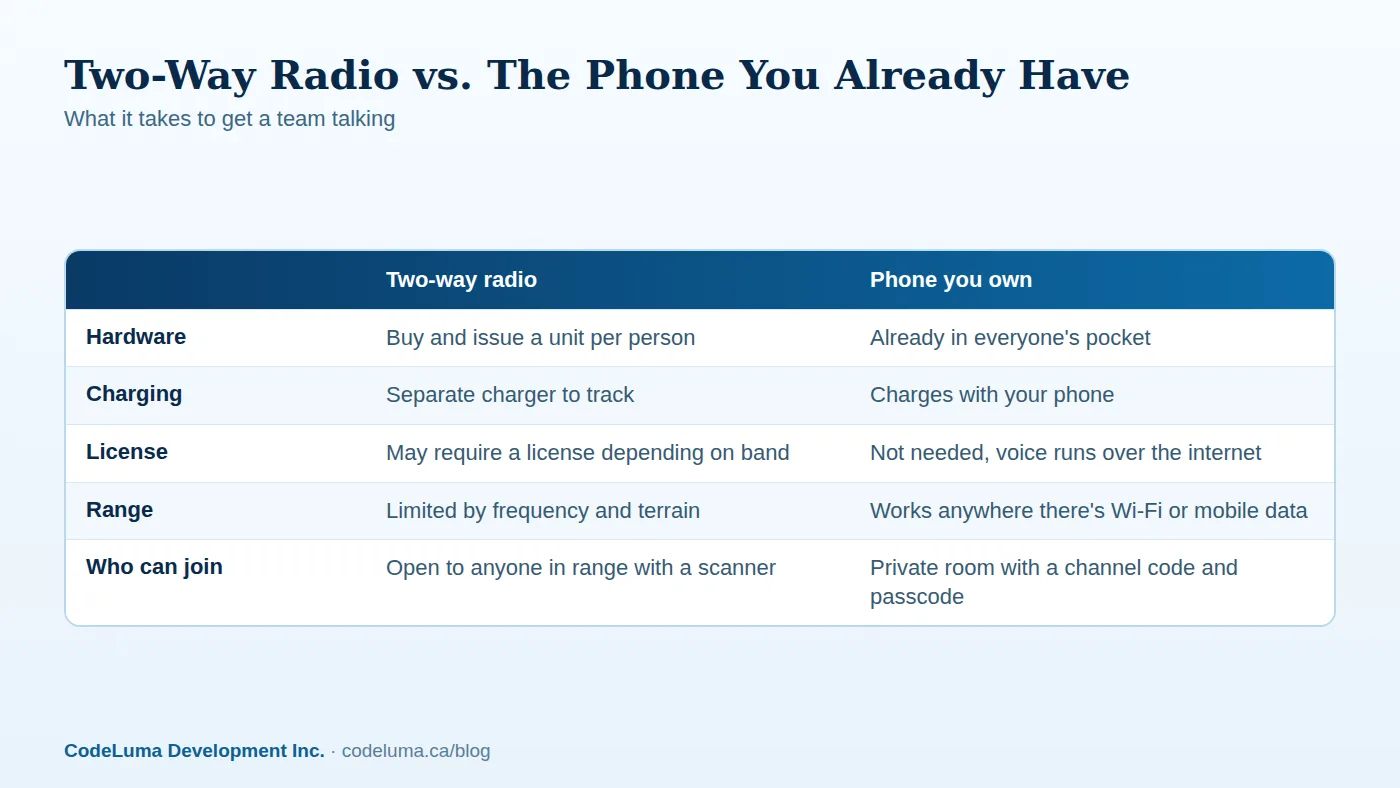
Dedicated two-way radios have always asked for a commitment before you've exchanged a single word: pick a model, buy enough units for the crew, find a charging routine, and figure out what happens when one gets lost or a battery dies mid-shift. A phone-based channel skips that step entirely. If your group already carries phones — and nearly every adult and most teenagers do — the hardware question is already answered. There's nothing extra to buy, nothing extra to charge, and nothing extra to hand back at the end of the day.
Why "No Extra Radios" Actually Matters
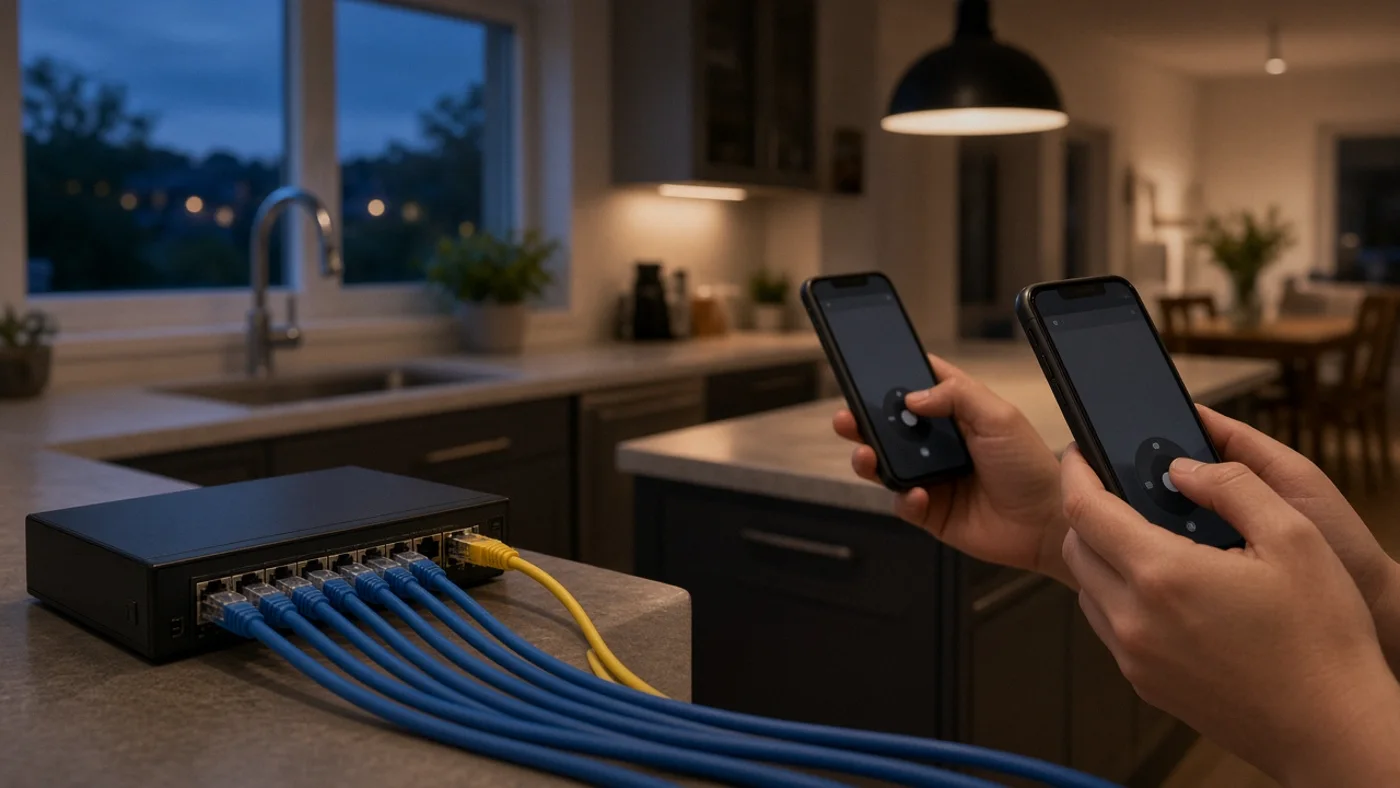
This isn't just a convenience footnote. Every piece of gear a team has to buy, store, and maintain is a piece of gear that can be forgotten, misplaced, or left uncharged on the one day it's needed. A construction crew that relies on handheld radios has to track who has one, keep spares on hand, and replace units that get dropped. A family on a road trip would need to buy, charge, and distribute radios before the car even leaves the driveway. When the walkie-talkie lives inside a device everyone already carries everywhere, that entire layer of logistics just isn't there anymore.
How It Works on the Phone You Have
Walkie Talkie HRL turns a phone into a hold-to-talk, release-to-listen channel using an internet connection instead of a radio frequency. That means it works over Wi-Fi or mobile data almost anywhere there's an internet path — a job site with cell coverage, a house with Wi-Fi, a venue with guest internet. It's available as an installable app for Android phones and tablets, as a web app you add to the Home Screen on an iPhone, and as a Big Screen app for Google TV, Android TV, and Chromebooks with Android app support. Because voice travels over the internet rather than radio waves, no amateur radio license is required. See how it works for the full walkthrough.
Setting Up Your First Channel
- Install the app: grab the Android app or add the iPhone web app to the Home Screen.
- Allow microphone access when prompted, so the app can send and receive audio.
- Create or join a channel using a channel code shared by whoever is organizing the group.
- For a controlled group, set up a private room with a six-digit passcode instead of an open channel.
- Hold the button to talk, release to listen, and do a quick test with one other person before relying on it.
Private Rooms: Codes, Passcodes, and Good Habits
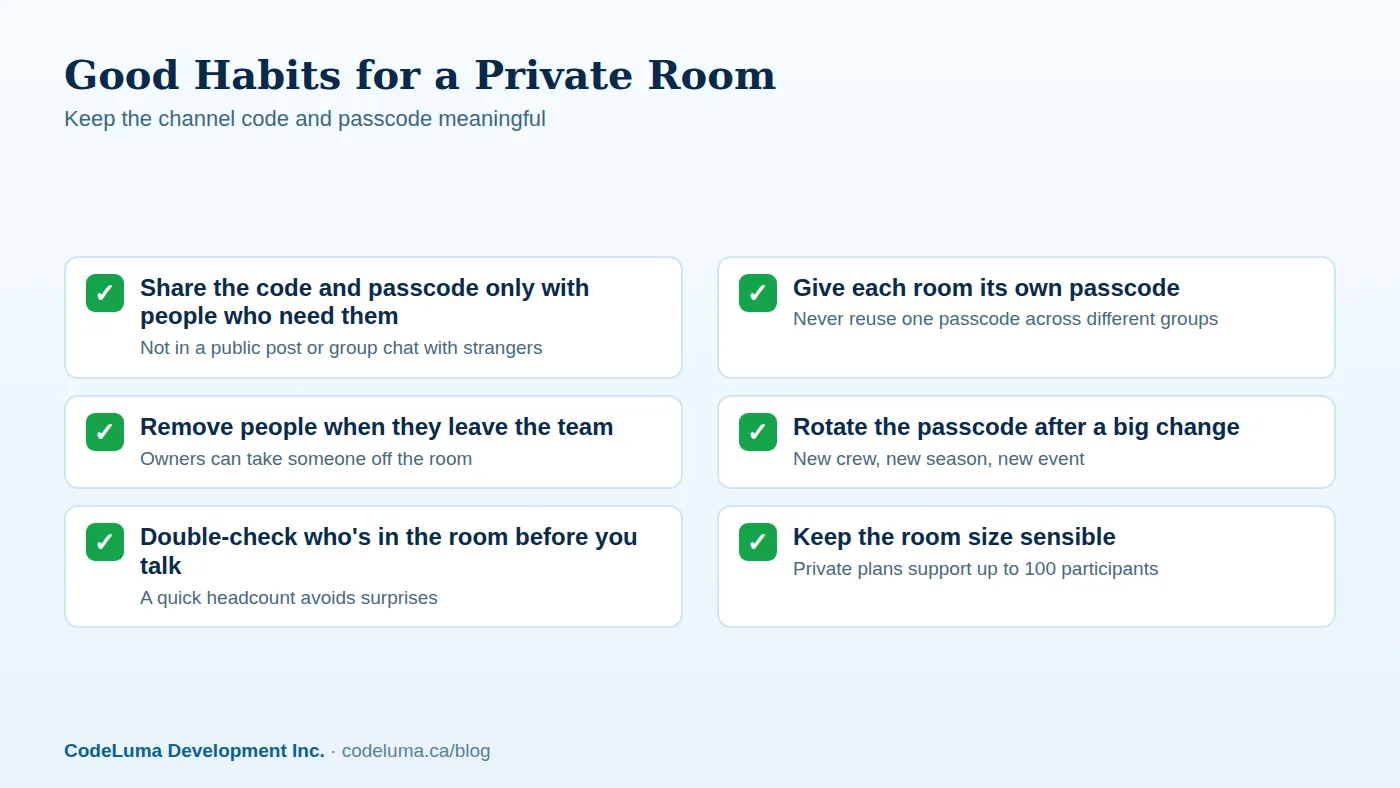
Voice sent through the app is encrypted in transit, which means it's scrambled while it travels across the internet so it isn't readable as plain audio along the way. That's a meaningful baseline, but it's worth being precise about what it is and isn't: it is not end-to-end encryption, it is not "military-grade," and no online communication system — this one included — can honestly promise absolute security. What encryption in transit buys you is real: it closes off the kind of casual eavesdropping that makes scanner-friendly radio chatter a known problem. Private rooms add a second layer on top of that by requiring a unique channel code plus a six-digit passcode to join, and the room owner can remove anyone who shouldn't be there anymore. A few habits keep that protection meaningful day to day:
Who This Actually Fits
A phone-based channel tends to fit groups that already overlap in one important way — everyone's carrying a phone anyway. Work crews coordinating across a site, warehouse, or event; security and patrol staff who need to talk without broadcasting their position to anyone with a scanner; and families who want a private line for a road trip, a theme park day, or just staying in touch around a busy house. In each case, the setup cost is close to zero because the device was never the missing piece.
Making the Most of What You Already Own
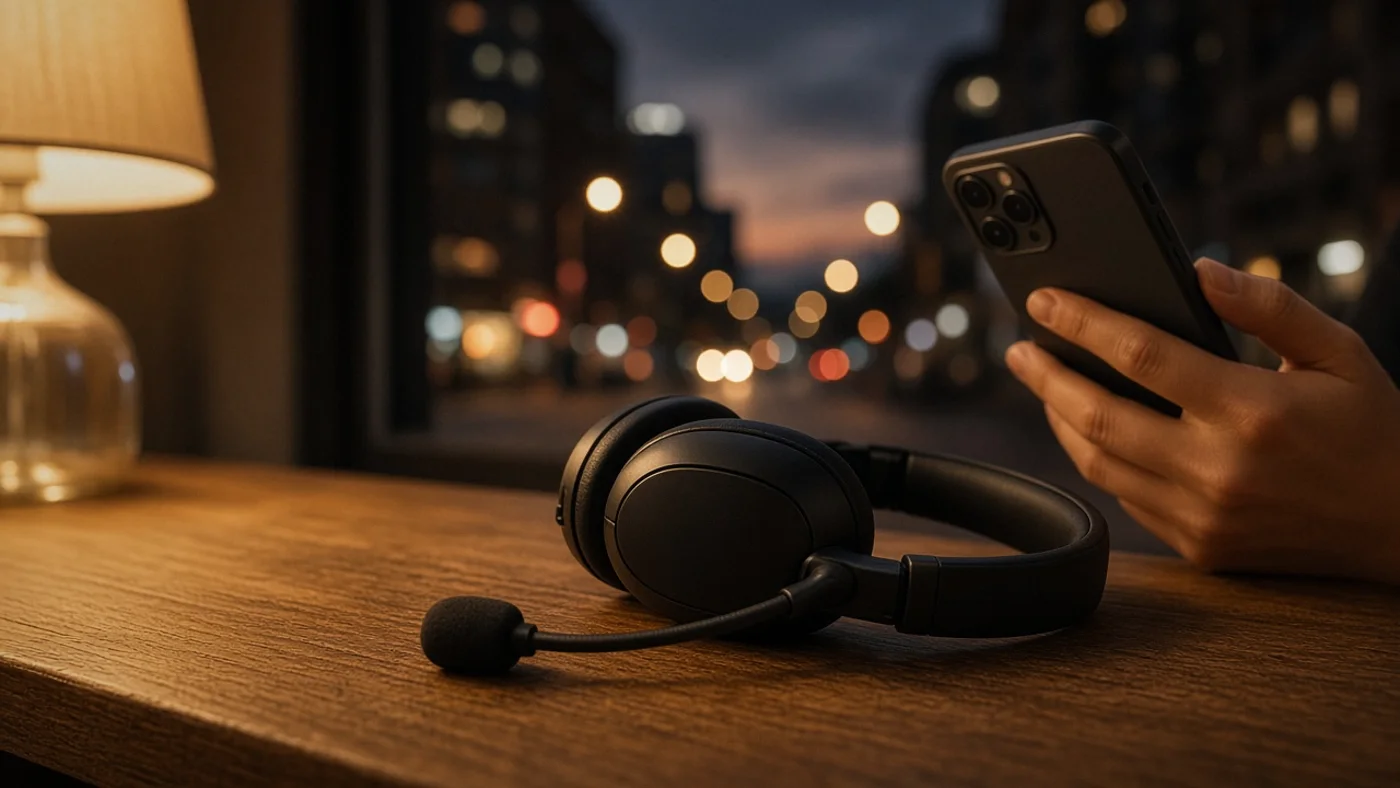
Since the app rides on a phone instead of a dedicated radio, a few ordinary phone habits carry over. Bluetooth headsets work with the app, which is worth it for anyone who wants hands-free talk without holding the phone up. Background listening depends on your Android permissions and power settings, so it's worth checking those once rather than discovering a missed call at a bad moment. And because the channel needs an internet path to work, it's smart to know where your Wi-Fi or mobile signal gets thin before you're counting on it — a quick test run beats finding out mid-shift.
Is a Phone-Based Channel Right for Your Group?
- Does everyone in the group already carry a phone? If yes, the gear question is solved.
- Do you need a private, access-controlled room, or is an open channel fine?
- Will people be somewhere with reliable Wi-Fi or mobile data?
- Is anyone relying on this for emergency communication? If so, this isn't the right tool — it does not replace 911 or a dedicated emergency radio system.
- Does your group need more than a handful of people, or could it grow toward 100 participants in a private room?
Common Mistakes to Avoid
The most common misstep is treating a private room's passcode the way people treat a reused password — handed out freely, never changed, shared in a group chat that outlives the trip it was meant for. Another is skipping the test run: assuming a channel works without one person actually holding the button and another confirming they heard it. And it's worth repeating clearly, because it matters more than any convenience feature here — this is not an emergency-calling service, and no team or family should treat it as a substitute for 911 or a guaranteed life-safety radio system. For more specifics on compatibility and accounts, the FAQ covers the details.
How It Stacks Up Against Buying Radios
None of this is an argument that dedicated radios are pointless — some jobs genuinely call for ruggedized hardware, long battery life in the field, or operation where there's no internet at all. But for most teams, families, and everyday coordination, the question isn't "which radio should we buy," it's "why are we buying anything." If every person on the channel already has a phone capable of running the app, the comparison tips heavily toward using what's already there. For a deeper look at this trade-off, Turn Your Phone Into a Walkie-Talkie: No Radios to Buy walks through it in more detail, and Encrypted in Transit: What It Means for a Walkie-Talkie App goes further into the privacy side of things.
Wrapping Up
The walkie-talkie you need has probably been in your pocket all along. The real decision isn't which radio to buy — it's whether a private, phone-based channel fits how your group already communicates. For most teams, families, and security staff, it does, and the only setup involved is installing an app on a device everyone's already carrying.
Try Walkie Talkie HRL
Open {{svc:howto|how it works}} and see how fast you can be talking to your group. If you already know who needs to be on the channel, set up {{svc:private|a private room}} with a channel code and passcode in minutes — no new hardware, no waiting for a shipment.
- How it works - install, allow audio, join a channel and hold to talk.
- Private channels - access-controlled rooms with a channel code and six-digit passcode.
- Download the Android app - install Walkie Talkie HRL on your Android phone or tablet.
- Install on iPhone - add the web app to your iPhone Home Screen.
Private, instant and already in your pocket. Walkie Talkie HRL turns the phone you already own into a push-to-talk walkie-talkie. Voice is encrypted in transit; no online service can promise absolute security. It is not an emergency-calling service.