Private Trip Room Setup: Channel Code and Passcode
Weekend trips have a familiar problem. The group splits up at a campsite, a market or a ski lodge, and someone is always out of earshot. Group texts are slow when your hands are full. A private push-to-talk room fixes that: hold a button, speak, release, and everyone in the room hears you. Here is how to set one up for your trip in a few minutes, using phones your group already owns.
Why a private room suits a trip
A trip room is a small, temporary group. You want the people who are coming to be in it and nobody else. A private room uses a unique channel code plus a six-digit passcode, so joining requires both. That is a very different thing from shouting into an open channel where anyone might wander in.
There is also nothing extra to buy, charge or carry. Everyone already has a phone in their pocket, and Walkie Talkie HRL works over Wi-Fi or mobile data. No amateur radio licence is needed, because it carries voice over the internet rather than over radio frequencies.
What you need before you start
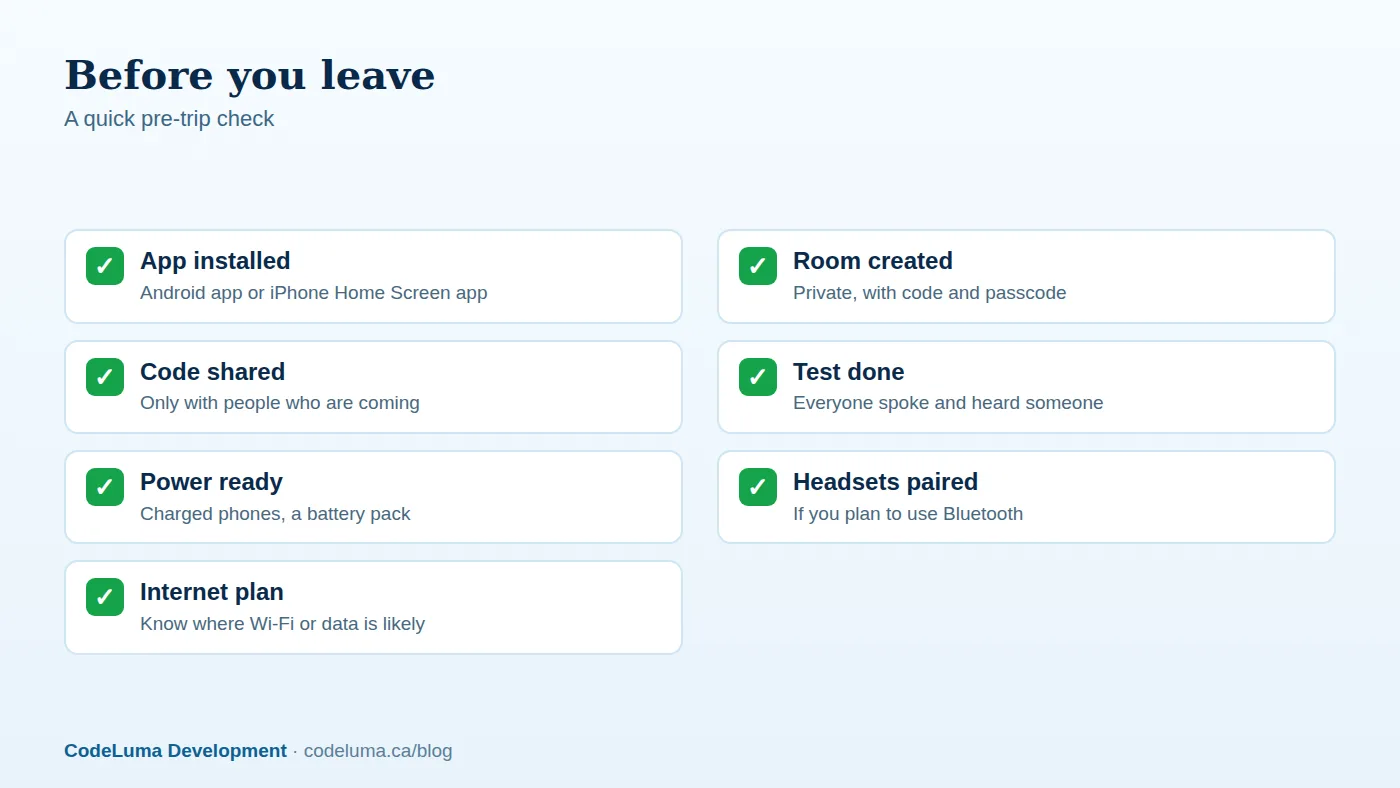
Gather the basics first:
- A phone or tablet for each person. Android devices use the Android app. iPhone users add the web app to the Home Screen.
- An internet path: Wi-Fi, mobile data, or satellite-backed Wi-Fi. Without an internet connection, the app cannot work.
- One person to act as the room owner. Owners can remove people, so choose someone reliable.
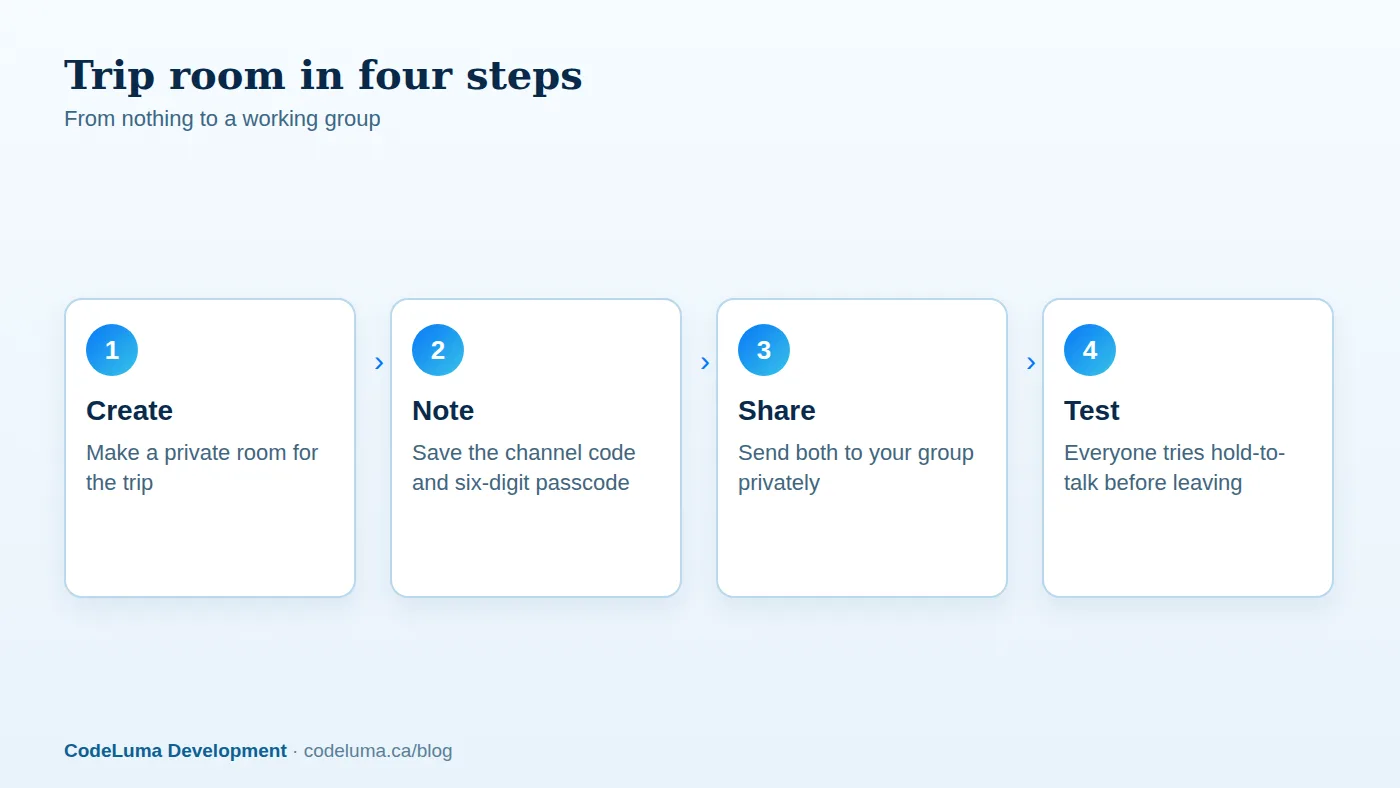
Step 1: create the private room
The owner opens the app and creates a private room. The room is identified by its channel code, and the six-digit passcode is what keeps uninvited people out. The private channels page explains the details, and the earlier guide on creating your first private room covers the basics in more depth.
When you get the channel code and passcode, write them down somewhere you can find again, such as a note on your own phone.
Step 2: share the code and passcode with your group
Send the channel code and the passcode to the people who are actually coming. A direct message or a face-to-face chat is better than posting them anywhere public, such as a social media page or a big open group chat. Anyone who has both can join, so treat them the way you would treat a house key.
It also helps to send the two pieces in separate messages, or to tell people the passcode in person. It is a small habit, but it costs nothing.
Step 3: everyone joins and allows audio
Each person installs the app, joins the room with the channel code and passcode, and allows microphone and audio access when the phone asks. The how it works page walks through joining a channel and holding to talk. Hold the button to speak and release it to listen.
Step 4: test before you leave home
This is the step people skip. Have every person say a quick hello, and confirm at least one other person heard it. Then try it with the screen locked and the phone in a pocket, because background listening on Android depends on app permissions and power settings. If someone can talk but not hear, fix it now, when you are all sitting in the same kitchen.
What "encrypted in transit" means for your group
Voice in Walkie Talkie HRL is encrypted in transit. In plain terms, your audio is scrambled while it travels across the internet between phones, so someone who happened to intercept it along the way would not be able to simply listen in. For a longer explanation, see what encrypted in transit means for a walkie-talkie app.
It helps to be honest about the limits. This is not end-to-end encryption, and no online communication system can promise absolute security. The bigger practical risk on a trip is usually people: a code shared too widely, or a passcode reused from somewhere else. That is why the habits below matter.
Good habits for codes and passcodes
- Share narrowly. Give the code and passcode only to people who are on the trip.
- Do not reuse passcodes. Do not use the same six digits you use for a phone lock, a bank card or another room.
- Avoid guessable numbers. Birthdays and repeated digits are easy to try.
- Remove people who leave. If someone drops out or the trip ends, the owner can remove them.
- Start fresh next time. A new trip deserves a new room and a new passcode.
Battery, connection and headset tips
A push-to-talk app is only useful if the phone is alive and online. Bring a battery pack, and keep phones out of the cold or a hot car where you can. Do not rely on any particular battery life; how long a phone lasts depends on the phone and how you use it.
Connection matters just as much. Before heading somewhere remote, think about where you are likely to have Wi-Fi or mobile data. If the internet drops, the room goes quiet until it returns. Bluetooth headsets are supported, which is handy when you are hiking, driving or carrying gear. Pair them ahead of time and test them during your home run.
Common mistakes to avoid
- Skipping the test. Problems are much easier to fix before you split up.
- Posting the code publicly. A room is only as private as the people who hold the code and passcode.
- Forgetting the internet. Assuming it works anywhere, when it needs an internet path.
- Everyone talking at once. Keep messages short and let others finish before you press the button.
- Treating it as an emergency line. It is not an emergency-calling or life-safety service and does not replace 911 or emergency radio systems. Carry the normal ways to call for help.
Simple etiquette for the group
Agree a few habits at the start. Say who you are and who you are talking to. Keep it brief. Release the button when you are done, and mute or step away from the room during quiet moments like a group meal. A shared room stays pleasant when people use it for what matters.
Wrap-up
A private trip room comes down to a few small choices: create the room, keep the channel code and six-digit passcode among the people who are coming, test before you go, and remove anyone who should no longer be in it. You get quick group voice on the phones you already own, with encryption in transit, and nothing extra to buy or charge. Next, install the app, make your room, and try it with your group at home. Then take it on the trip.
Try Walkie Talkie HRL
Ready for your next weekend away? Read how private channels work, then install Walkie Talkie HRL on the phones your group already carries and test your room before you leave. It takes a few minutes, and there is nothing extra to buy or pack.
- Private channels - access-controlled rooms with a channel code and six-digit passcode.
- How it works - install, allow audio, join a channel and hold to talk.
- Download the Android app - install Walkie Talkie HRL on your Android phone or tablet.
- Install on iPhone - add the web app to your iPhone Home Screen.
Private, instant and already in your pocket. Walkie Talkie HRL turns the phone you already own into a push-to-talk walkie-talkie. Voice is encrypted in transit; no online service can promise absolute security. It is not an emergency-calling service.