Encrypted in Transit: What It Means for a Walkie-Talkie App
If you have ever asked whether a walkie-talkie app is "private," you have probably seen the phrase "encrypted in transit." It sounds technical, but the idea is simple, and knowing exactly what it covers lets you describe your voice privacy to your crew, your family or your staff without overstating it. This article explains what the phrase means, what it does not mean, and what you can do to keep your conversations to the people you intend.
What "encrypted in transit" means
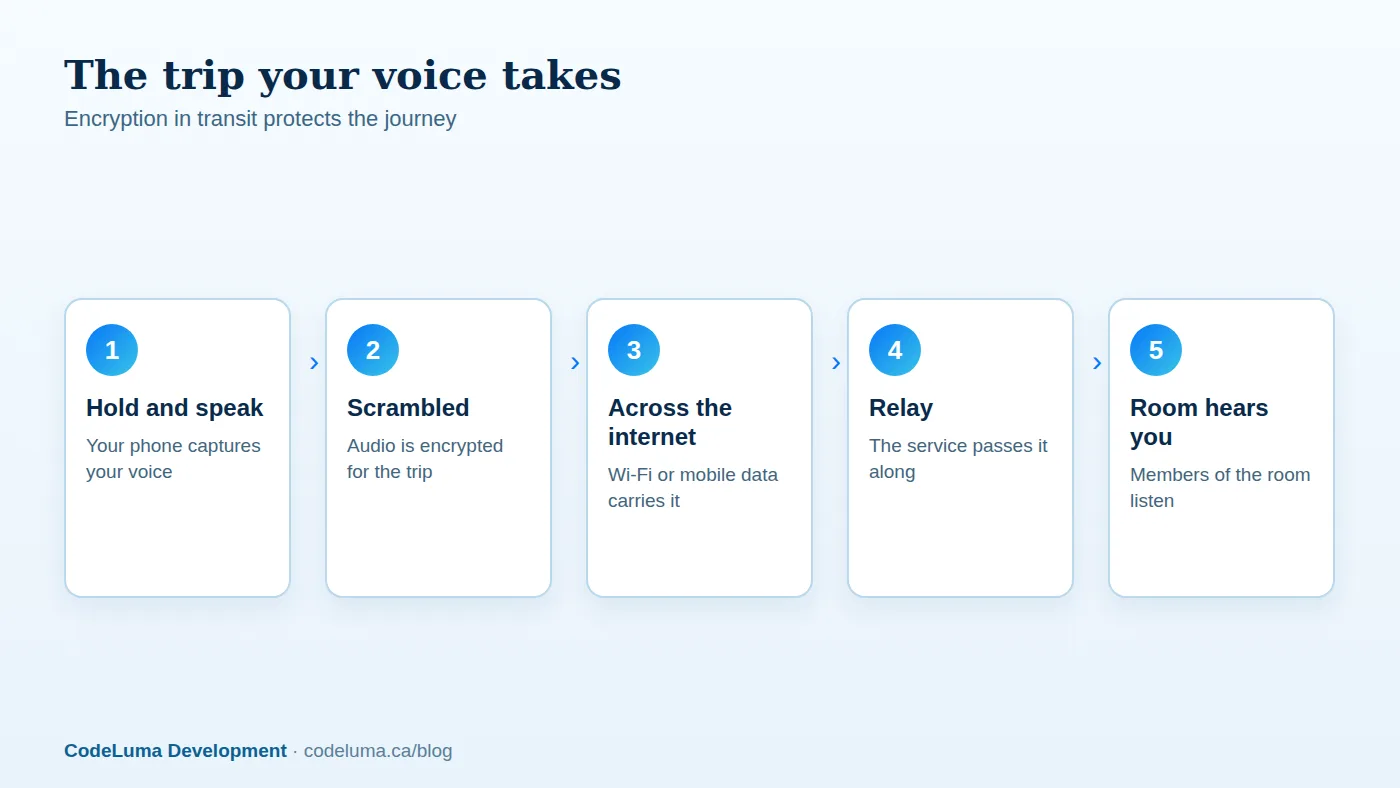
"In transit" means while something is travelling. When you hold the talk button on Walkie Talkie HRL, your voice does not teleport to your teammates. It crosses your Wi-Fi or mobile data connection, moves across the internet, and arrives at the phones of everyone in the room. Encryption scrambles the audio so that, during that trip, it is not readable by someone who happens to intercept it along the way.
Think of a sealed envelope compared with a postcard. A postcard can be read by anyone who handles it. A sealed envelope can still be delivered, but casual eyes cannot read it on the way.

The journey of your voice
Here is the path in plain terms. You hold the button and speak. Your phone sends the audio over whatever internet connection it has. A relay carries it onward, and the phones of the people in your room play it when you release. Voice in Walkie Talkie HRL is encrypted in transit along that journey.
Because this all happens over the internet, no radio frequencies are involved. That is also why you need no amateur radio licence, and why the app cannot work without an internet path.
What it protects you from
The main benefit is protection from eavesdropping on the connection itself. Many of us connect through café Wi-Fi, hotel networks, venue guest networks and shared connections. Encryption in transit is designed so that other people on the same network, or anyone sitting between you and the service, cannot simply listen in to your audio as it passes.
For a security crew talking across a venue, a family coordinating over a busy weekend, or a work team on a shared site network, that is a meaningful baseline. It is the difference between speaking in an open corridor and speaking through a sealed pipe.
What it does not promise
Honesty matters more than a bigger-sounding claim. Encrypted in transit describes the journey. It does not mean that nobody could ever access a conversation by any means, and no online communication system can promise absolute security. We would rather you describe it accurately than repeat something the technology does not say.
It also does not protect against ordinary human leaks. If someone in your room repeats what they heard, plays it on a loudspeaker in a public place, or shares the room details with a stranger, encryption cannot help. The people you let in are part of your privacy.
What private rooms add
Encryption protects the trip. Access control protects the room. A private room on Walkie Talkie HRL requires a unique channel code plus a six-digit passcode, so a person has to know both to join. Owners can also remove people, and some supported private plans allow up to 100 participants.
Put together, the two layers answer different questions. Encryption in transit answers "can someone listen in on the connection?" The code and passcode answer "who is allowed in the room?" You can read more about private channels and how they are set up.
Why the passcode matters as much as the tech
A six-digit passcode is only as strong as the care taken in sharing it. If it is pinned in a public group chat, written on a whiteboard in a lobby, or reused from your phone unlock or bank card, the door is effectively open. Treat the channel code and passcode like a key to a building: give copies to people who need them, and know who holds them.
How to describe it to your crew
You do not need jargon. Here is wording that is accurate and easy to remember:
Our voice is encrypted while it travels over the internet. Only people with our channel code and passcode can join the room. No online system is perfectly secure, so we still keep the codes to ourselves and skip anything highly sensitive.
That statement is honest, sets expectations, and gives everyone a simple job to do. Teams that run patrols, venues or hospital communication can pair it with their own policies; the security team guide shows how these rooms are typically used.
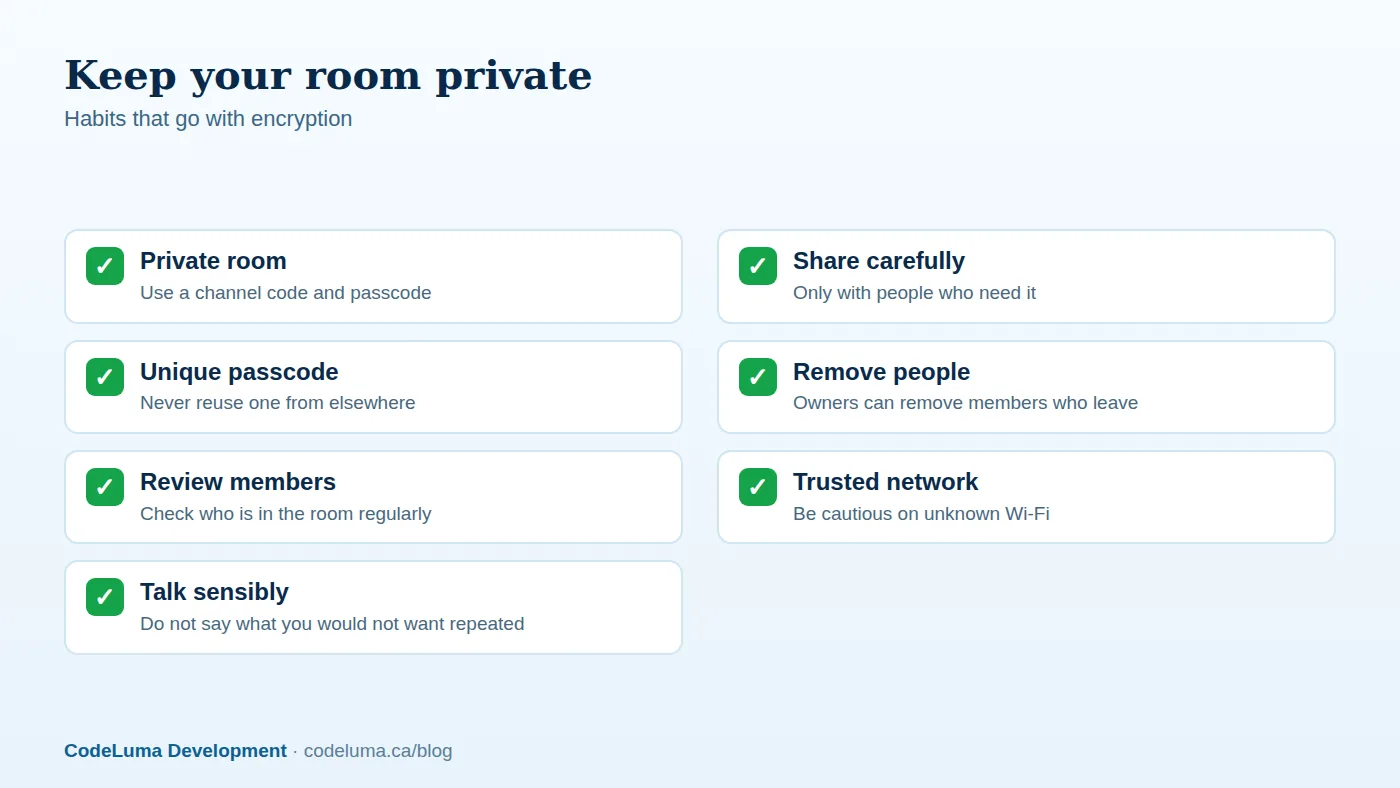
Habits that keep a room private
Technology does part of the work. Your habits do the rest. Follow these steps when you set up a room:
- Create the private room and pick a passcode you do not use anywhere else.
- Share the channel code and the passcode in separate messages, or through separate channels.
- Tell each person not to forward the details.
- Check the member list from time to time and remove anyone who no longer belongs.
- Change the passcode when your team changes, such as at the end of a project or event.
Common mistakes to avoid
- Overclaiming. Saying "nobody can ever hear this" is not accurate. Say "encrypted in transit" and explain what that means.
- Reusing passcodes. A code you use elsewhere is only as safe as the weakest place it is stored.
- Leaving former members in. A person who has left the crew but still has access can still listen. Remove them promptly.
- Talking in public without a headset. Speaker audio can be overheard. A Bluetooth headset keeps replies between you and your ear.
- Using it for emergencies. Walkie Talkie HRL is not an emergency-calling or life-safety service and does not replace 911 or emergency radio systems. Call emergency services when someone is in danger.
Wrap-up and what to do next
Encrypted in transit means your voice is protected while it travels between phones over the internet. Private rooms add a code and six-digit passcode so only invited people join, and your habits decide how well that holds up. It runs on the phone everyone already carries, on Wi-Fi or mobile data, so there is nothing extra to buy or charge.
To get started, look at how it works, set up a private room, and share the details carefully. If you have questions about accounts, rooms or compatibility, the questions and answers page covers them.
Try Walkie Talkie HRL
Ready to hear it for yourself? Read how it works to see the install, allow-audio and hold-to-talk steps, then set up a private channel with a code and six-digit passcode on the phone you already own. It takes a few minutes, and your crew can join from their own phones.
- Private channels - access-controlled rooms with a channel code and six-digit passcode.
- How it works - install, allow audio, join a channel and hold to talk.
- Security teams - patrol, venue and hospital communication.
- Questions and answers - compatibility, accounts, rooms and audio.
Private, instant and already in your pocket. Walkie Talkie HRL turns the phone you already own into a push-to-talk walkie-talkie. Voice is encrypted in transit; no online service can promise absolute security. It is not an emergency-calling service.