At Festivals and Fairs, Open Radio Channels Have No Privacy
Walk the grounds of any festival, fair, or outdoor market and you'll hear it: the steady chatter of two-way radios clipped to vendor aprons, security vests, and stage crew belts. Open channels feel private because the voices are close and the crowd is loud, but the channel itself has no walls. Anyone within range who owns a radio set to the same frequency can hear it, whether they're working the event or just standing nearby. Here's what that actually means for the people running the show, and when a private room on a phone people already carry is the better fit.
What "Open" Really Means on a Shared Frequency
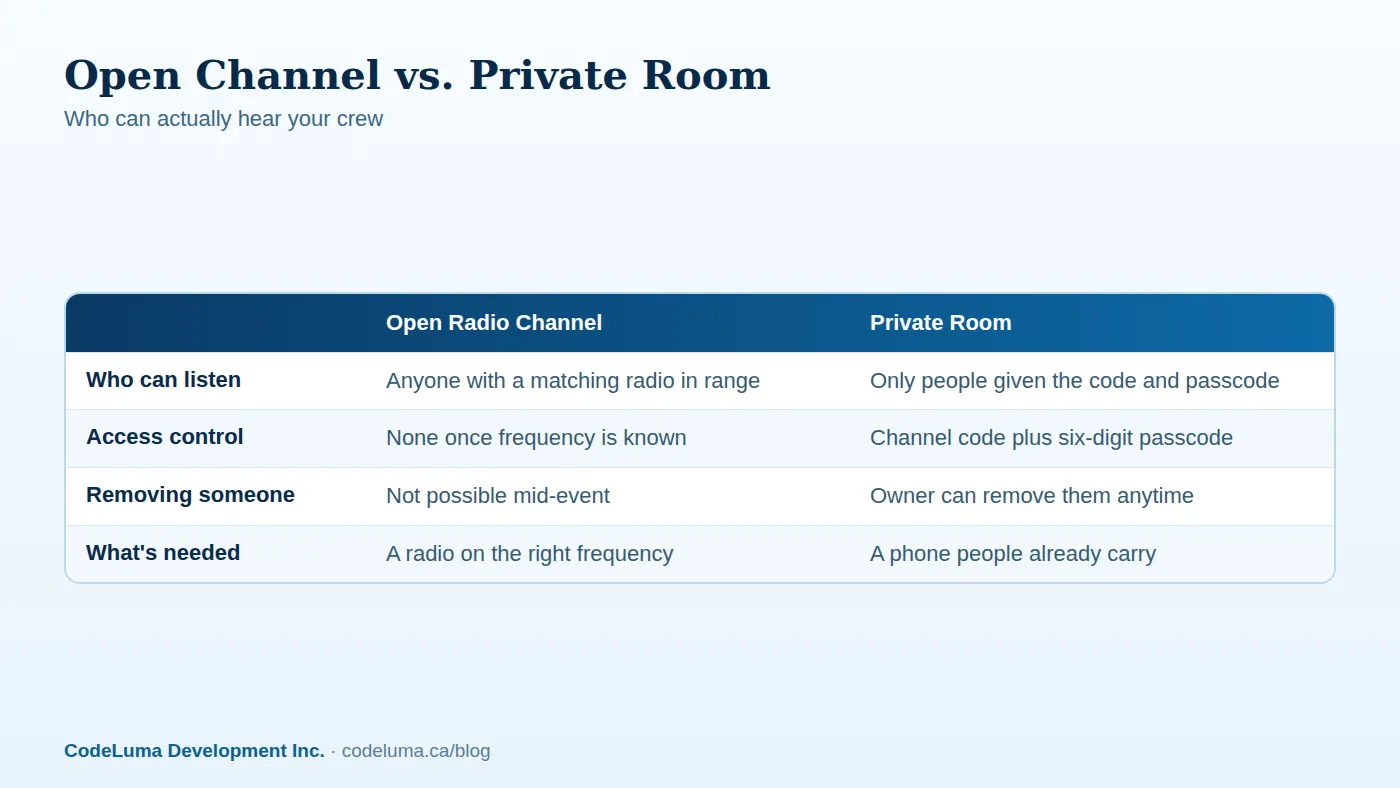
A traditional two-way radio doesn't know who's holding it. If a channel isn't encrypted and isn't restricted to a specific device pairing, anything said on it can be picked up by any radio tuned to that same frequency, plus general-purpose scanners that sweep common bands. At a festival or fair, that frequency often isn't a secret. Event radios are frequently rented in bulk from the same local supplier, used by multiple vendors or contractors on-site, or set to a handful of standard channels out of habit. None of that requires anyone to "hack" anything. It just requires owning a radio and being nearby.
Who Else Is on Site With a Radio
Festivals and fairs are full of radios that have nothing to do with your event. Neighboring vendors, a touring production crew, a nearby construction site, hobbyists, and members of the public who own scanners can all be within range of your channel. Imagine a food vendor crew coordinating a cash pickup over an open channel, not realizing that the stage crew's audio gear, a competing vendor's radio, or a passerby's scanner is on the same frequency. Nothing malicious needs to happen for that to be a problem.
Why Event Radios Overlap So Often
Part of the issue is practical. Rental radio fleets are usually programmed with a small set of default channels, and different teams at the same event often end up sharing one without coordinating in advance. A security team, a parking crew, and a vendor coordinator might all be a click away from each other's channel. Add a crowded radio spectrum in a small geographic area — common at fairgrounds and festival sites — and it becomes easy for chatter meant for one team to be audible to another, even by accident.
What Open Chatter Reveals Without Anyone Trying
Most of what gets said over event radios is mundane: schedule changes, where to find a supply pallet, which gate needs more staff. But strung together, it can paint a fairly complete picture of how an event runs — where cash is counted, when a headliner is expected to arrive, which gate has thin coverage at a given hour, or where an unaccompanied minor was last seen. None of that is sensitive in isolation. Together, overheard by the wrong person at the wrong time, it adds up. This is the same dynamic covered in Why Your Crew's Radio Chatter Shouldn't Be Public: the risk isn't one dramatic leak, it's the accumulation of small, overheard details.
When a Private Room Is the Better Fit
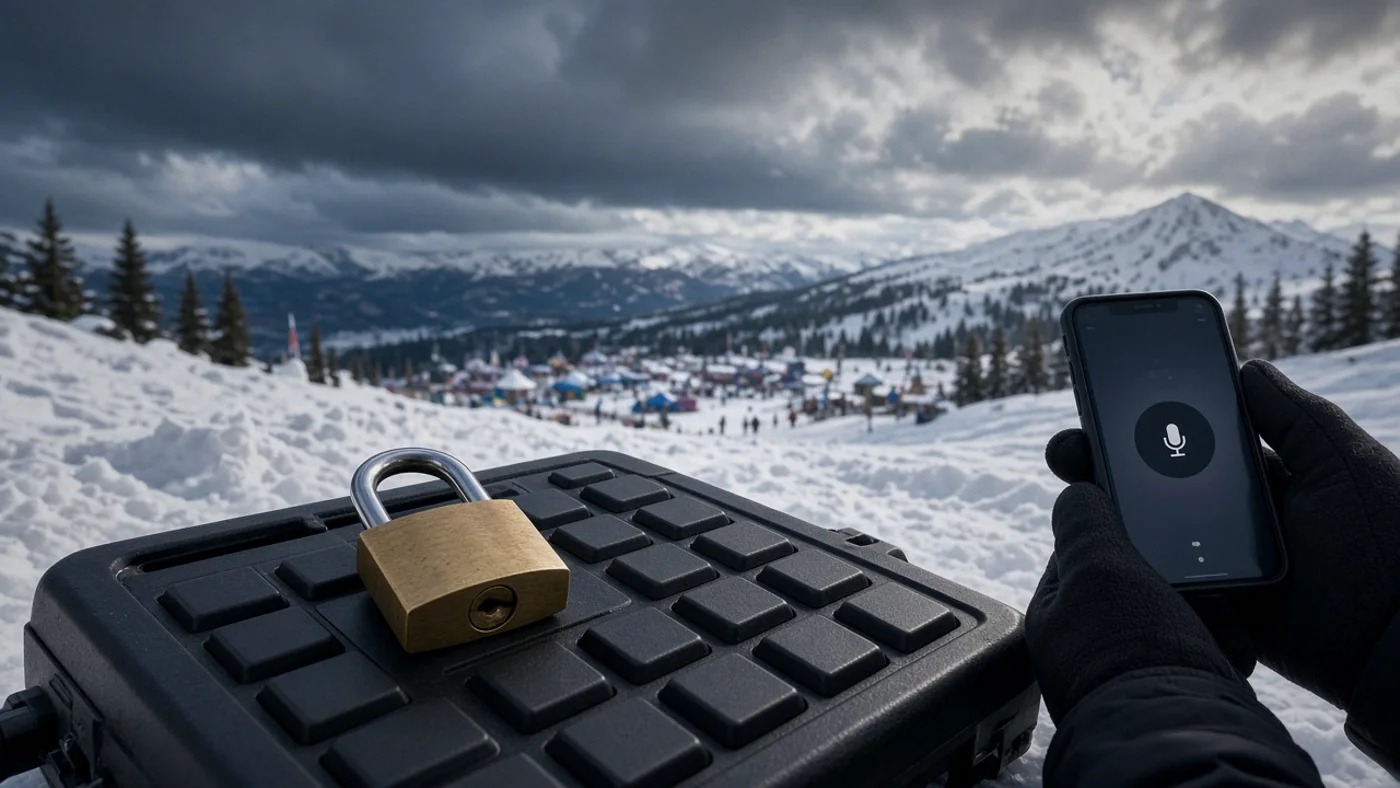
Walkie Talkie HRL runs over the internet instead of a radio frequency, using the phone or tablet your staff already carries. Voice is encrypted in transit, meaning it's protected as it travels across the network between your team's phones. A private room goes further: it's locked behind a unique channel code and a six-digit passcode, so only people who have both can join. For larger crews, some supported private plans allow up to 100 participants in one room — enough for an entire festival shift or fair committee to share one channel without it being open to anyone nearby with a radio.
Setting Up Your Event Team's Channel
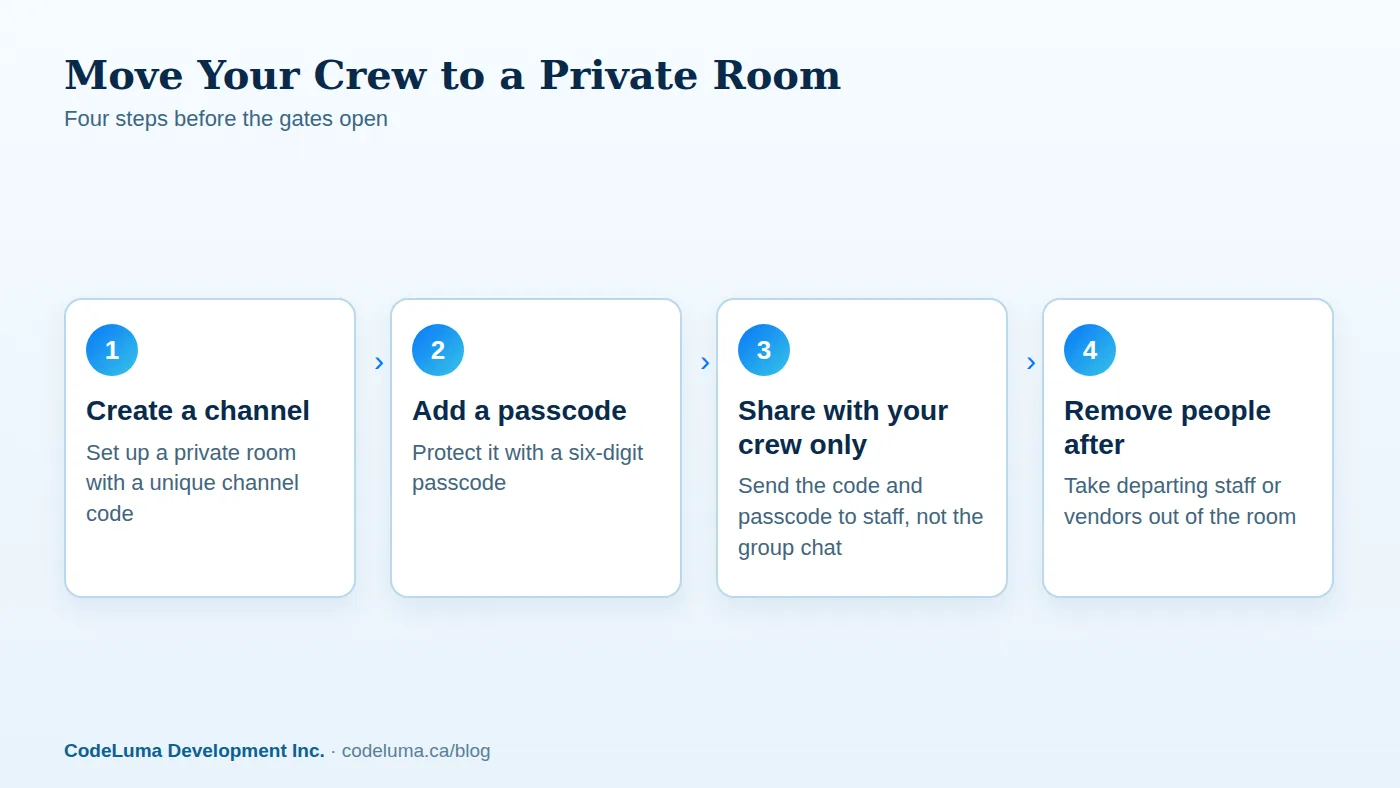
Getting a crew moved over is straightforward. Check how it works for the full walkthrough, but the short version: install the app, create a private room, and set a passcode that hasn't been used for anything else. Share the channel code and passcode directly with each staff member — by text, a printed shift card, or in person — rather than posting it somewhere public like a group flyer or shared event document. Everyone holds the button to talk and releases to listen, the same habit most people already have from any push-to-talk radio.
Good Habits Once the Room Is Running
A private room is only as controlled as the people managing it. Share the channel code and passcode with staff and confirmed volunteers, not with "the whole group chat" or a public event page. When a vendor's contract ends or a volunteer's shift is over, the room owner can remove them, something that isn't possible with an open radio frequency once someone has heard it. Avoid reusing the same passcode year after year or across different events; treat it the way you'd treat a shared door code, and change it for each event or season.
Checklist: Before You Hand Out a Channel Code
- Create a new channel code and passcode for this event, not a reused one
- Share credentials individually, not in a public flyer or open chat
- Confirm each phone has the app installed and permissions allowed, per how it works
- Assign one person as room owner who can remove participants
- Remove vendors, volunteers, or contractors as soon as their shift ends
- Check battery and a charging plan for long festival days
- Have a backup contact method in case of a dead phone or dropped connection
Common Mistakes Event Teams Make
The most common mistake is assuming "we've always used this channel" means it's private — radio frequencies don't become private through habit. Another is sharing a passcode in a public document, like a shared spreadsheet or a printed vendor packet that outlives the event. Teams also sometimes forget to remove people from a private room after an event ends, leaving a channel code active for someone who no longer needs it. For a closer look at how open channels can be overheard in the first place, see Are Walkie-Talkie Radios Private? What a Scanner Can Hear.
What a Private Room Doesn't Promise
Encryption in transit protects voice as it travels across the network, but no online communication system, including this one, can promise absolute security. Walkie Talkie HRL is not end-to-end encrypted, and it is not an emergency-calling or life-safety service — it does not replace 911 or a dedicated emergency radio system. For event safety communication involving police, fire, or medical response, keep your established emergency procedures in place. A private room is a practical upgrade for day-to-day coordination, not a substitute for emergency planning.
Wrapping Up
Open radio channels at festivals and fairs were never designed to be private, and the crowd noise around them doesn't change that. If your team is coordinating gate staffing, vendor logistics, or volunteer shifts, a private room built around a channel code and a six-digit passcode keeps that chatter among the people who should hear it. Since it runs on the phones your crew already carries, there's nothing extra to rent, charge, or collect at the end of the night — just a channel you control. For a quick start before your next event, walk through svc:create-your-first-private-walkie-talkie-room-in-minutes|setting up your first private room and have it ready before the gates open.
Try Walkie Talkie HRL
Your event team already carries the phones they need — no radios to rent, charge, or collect at the end of the day. Set up a {{svc:private|private channel}} in a few minutes and see how {{svc:howto|hold-to-talk}} works before your next shift.
- Private channels - access-controlled rooms with a channel code and six-digit passcode.
- How it works - install, allow audio, join a channel and hold to talk.
- Security teams - patrol, venue and hospital communication.
- Business teams - construction, logistics and event crews.
Private, instant and already in your pocket. Walkie Talkie HRL turns the phone you already own into a push-to-talk walkie-talkie. Voice is encrypted in transit; no online service can promise absolute security. It is not an emergency-calling service.