Why Your Crew's Radio Chatter Shouldn't Be Public
Walk past almost any job site, warehouse or event and you will hear it: a crackle, a first name, a truck number, maybe a gate code read out loud. Handheld radios are fast and familiar, but on an open channel that chatter is not a private conversation. It is closer to talking in a car park with the windows down. This article explains why that matters and shows how a small team can move its job talk into a private room it controls.
Why open radio channels are open
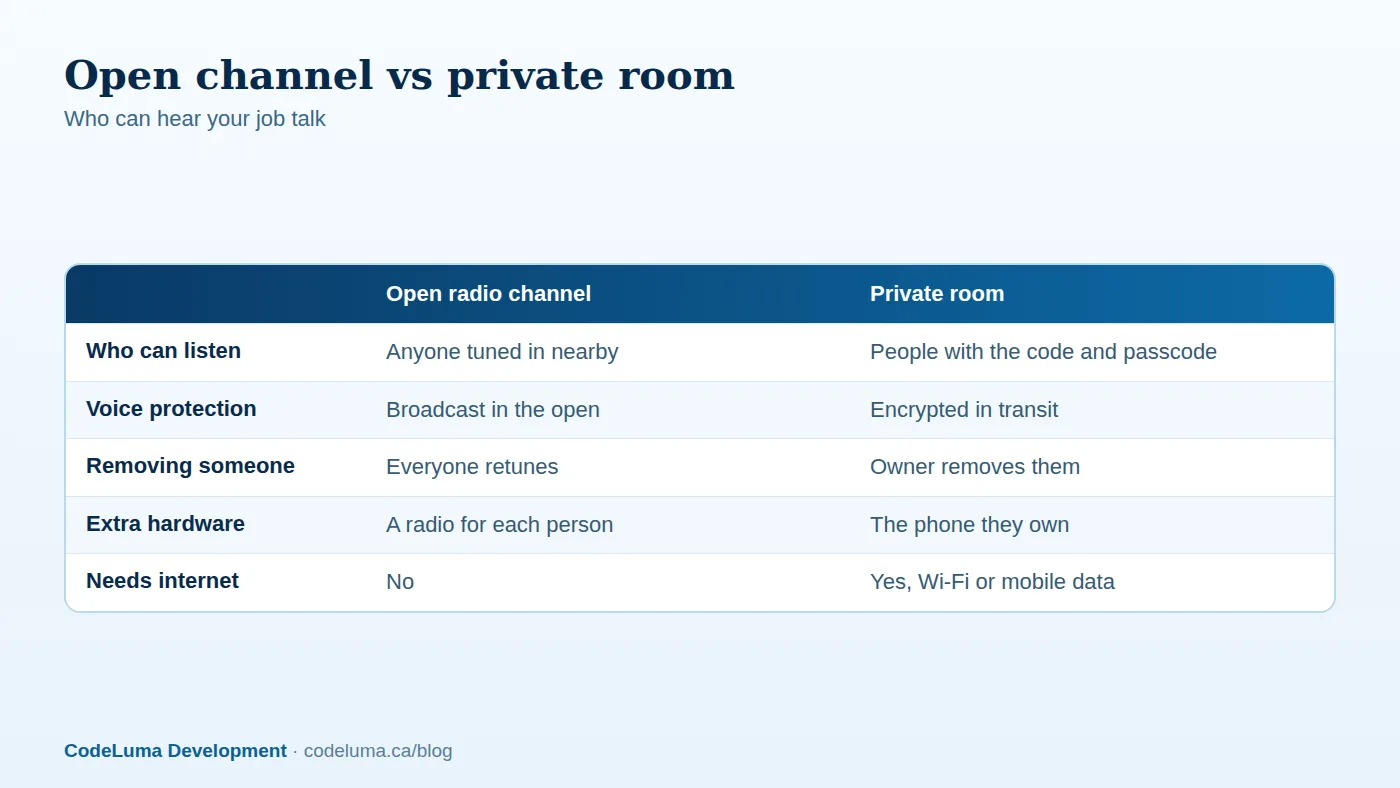
A traditional handheld radio broadcasts on a shared channel. Anyone with a radio set to that channel, and close enough to receive it, hears what you say. That is the design, and it is handy when you need to reach everyone nearby in a second. The trade-off is that your crew has no say over who else is listening. Another business on the same channel, a passing contractor, or a hobbyist with a scanner can all hear unprotected transmissions.
What gets overheard on a normal day
Imagine a crew of six working a residential job. Over a morning, the radio carries a customer's street address, the time the house will be empty, which van holds the expensive tools, a colleague's name and a grumble about the client. None of it feels sensitive in the moment. Together, it paints a useful picture for someone who should not have it. Your customers trust you with their homes and businesses, and open talk quietly spends some of that trust.
Privacy codes are not encryption
Many consumer radios offer "privacy" or squelch codes, which can make it feel as if the channel is locked. Generally, these codes only tell your radio when to open its speaker. They do not scramble the audio, and a receiver that ignores the code can still hear the channel. They help cut down on stray chatter from other groups. They are not a lock.
What "encrypted in transit" means
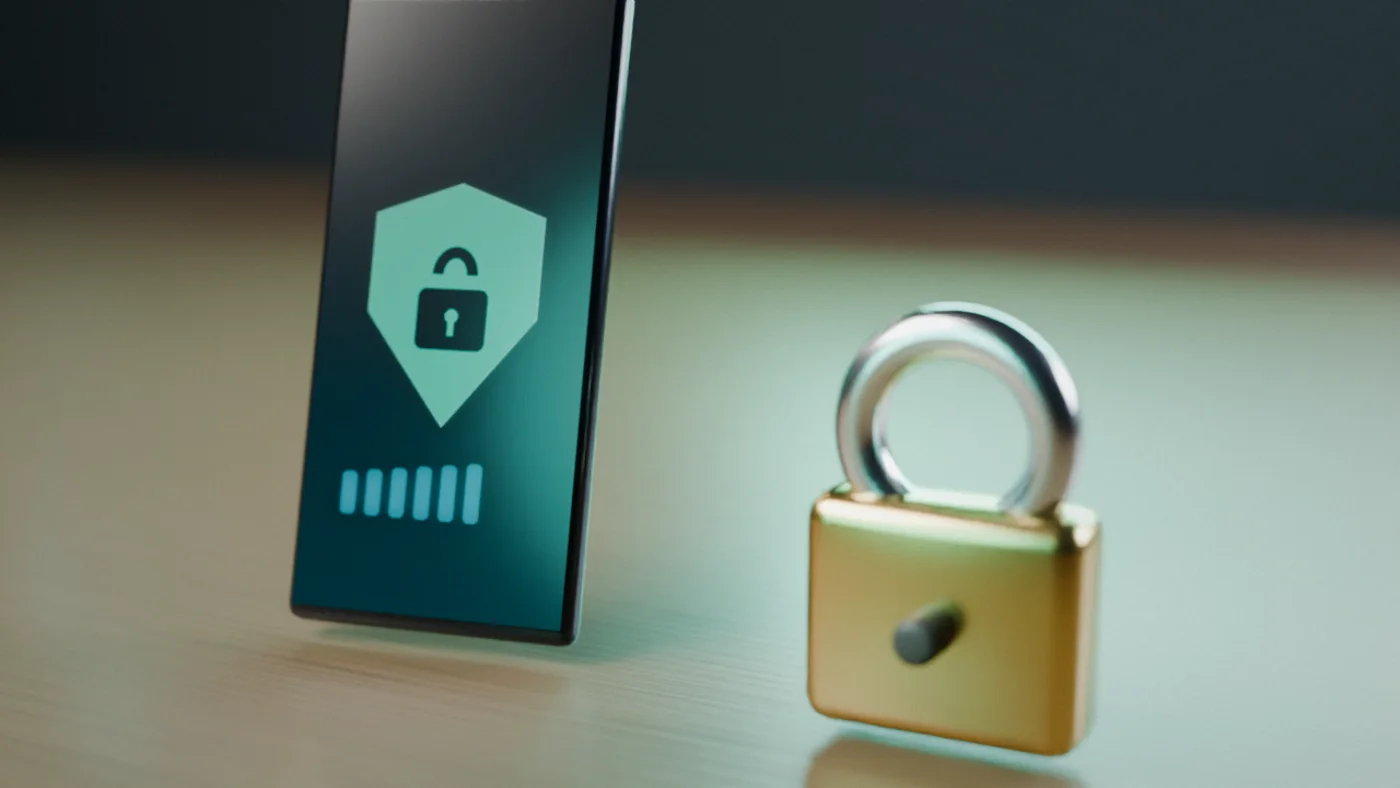
Walkie Talkie HRL voice is encrypted in transit. In plain language, your voice is protected while it travels between your phone and the service, so someone watching the network, such as other people on a busy public Wi-Fi, cannot simply listen in. For a fuller explanation, see our guide on what encrypted in transit means.
It helps to be honest about the limits. Encrypted in transit is not end-to-end encryption, and no online communication system can promise absolute security. Anyone in the room can hear what you say, and a person who is given the code can repeat it.
What a private room adds
Encryption protects the journey. A private room controls the guest list. Private channels use a unique channel code plus a six-digit passcode, so only people who have both can join. The owner can remove people, and some supported private plans allow up to 100 participants. Most small crews need far fewer, which keeps the room easy to manage.
Move your crew in five steps
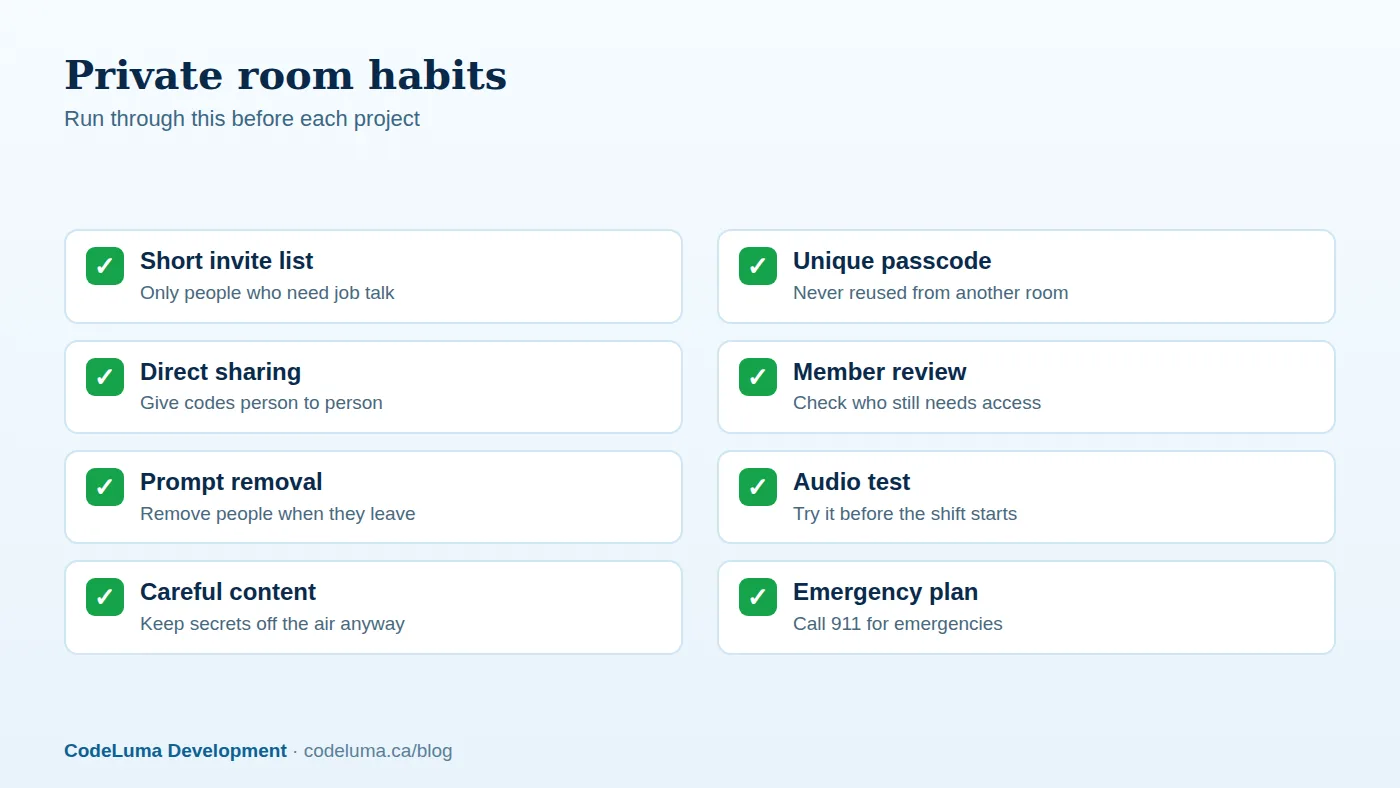
- Decide who belongs. List the people who genuinely need job talk, and leave out anyone who does not.
- Get everyone set up. Android users can install the Android app, and iPhone users add the web app to the Home Screen.
- Create the private room. Choose a passcode you have not used anywhere else.
- Share the code and passcode directly. Give them to each person individually, not on a public post or a whiteboard by the gate.
- Run a test. Have everyone allow audio, join, hold to talk and release to listen. Our page on how it works walks through it.
Share codes with care
A private room is only as private as the people inside it. Hand out the channel code and passcode one person at a time, and ask people not to forward them. Keep a simple list of who has access. Treat temporary workers and subcontractors as short-term guests, and decide up front when their access ends. Never put the details in a group chat that includes people outside the crew.
Remove people and avoid reused passcodes
When someone leaves the team or finishes a contract, the owner can remove them. If a code has travelled further than you intended, or you simply are not sure who has it, start a fresh room with a new code and passcode and invite people again. Do not reuse passcodes from other rooms, and avoid obvious six-digit choices such as 123456 or a birthday. One passcode per project is a habit that pays off.
Common mistakes to avoid
- Posting the channel code where the public can see it, such as a social page or a shared noticeboard.
- Using one passcode for every job, forever.
- Forgetting to remove former crew members.
- Assuming encryption means anything can be said. Keep card numbers and alarm codes off the air regardless.
- Skipping the test. Background listening on Android depends on permissions and power settings, so check them before the shift.
- Expecting it to work with no connection. It needs an internet path, whether Wi-Fi or mobile data.
The phone advantage, and its limits
The practical appeal for business teams is that everybody already carries a phone. There is nothing extra to buy, charge, carry or maintain, and no radio licence is needed because voice travels over the internet, not radio frequencies. A Bluetooth headset works for hands-free talking. Our guide to turning your phone into a walkie-talkie covers the basics.
It is also not an emergency service. It does not replace 911 or emergency radio systems, so keep those for anything urgent.
Wrap-up
Open channels are convenient, but they let anyone nearby listen in. A private room with encrypted-in-transit voice, a channel code, a six-digit passcode and an owner who can remove people gives your crew a better default. Pick a small pilot team, set up one room, run a five-minute test before your next shift, and build the sharing habits from day one.
Try Walkie Talkie HRL
If your crew already carries phones, you already have what you need for a private push-to-talk room. Read how private channels work, then install the Android app or add the iPhone web app and try a short test with your team.
- Private channels - access-controlled rooms with a channel code and six-digit passcode.
- How it works - install, allow audio, join a channel and hold to talk.
- Business teams - construction, logistics and event crews.
- Download the Android app - install Walkie Talkie HRL on your Android phone or tablet.
Private, instant and already in your pocket. Walkie Talkie HRL turns the phone you already own into a push-to-talk walkie-talkie. Voice is encrypted in transit; no online service can promise absolute security. It is not an emergency-calling service.