Turn Your Phone Into a Walkie-Talkie: No Radios to Buy
Most groups that want a walkie-talkie start by pricing radios: one for every person, plus chargers, plus someone to keep track of it all. There is a simpler place to start. You and your people already carry a microphone, a speaker and an internet connection everywhere you go. Walkie Talkie HRL uses them to give you hold-to-talk, release-to-listen voice, so you can skip the shopping and start talking with phones you already own.
Why the phone in your pocket is enough
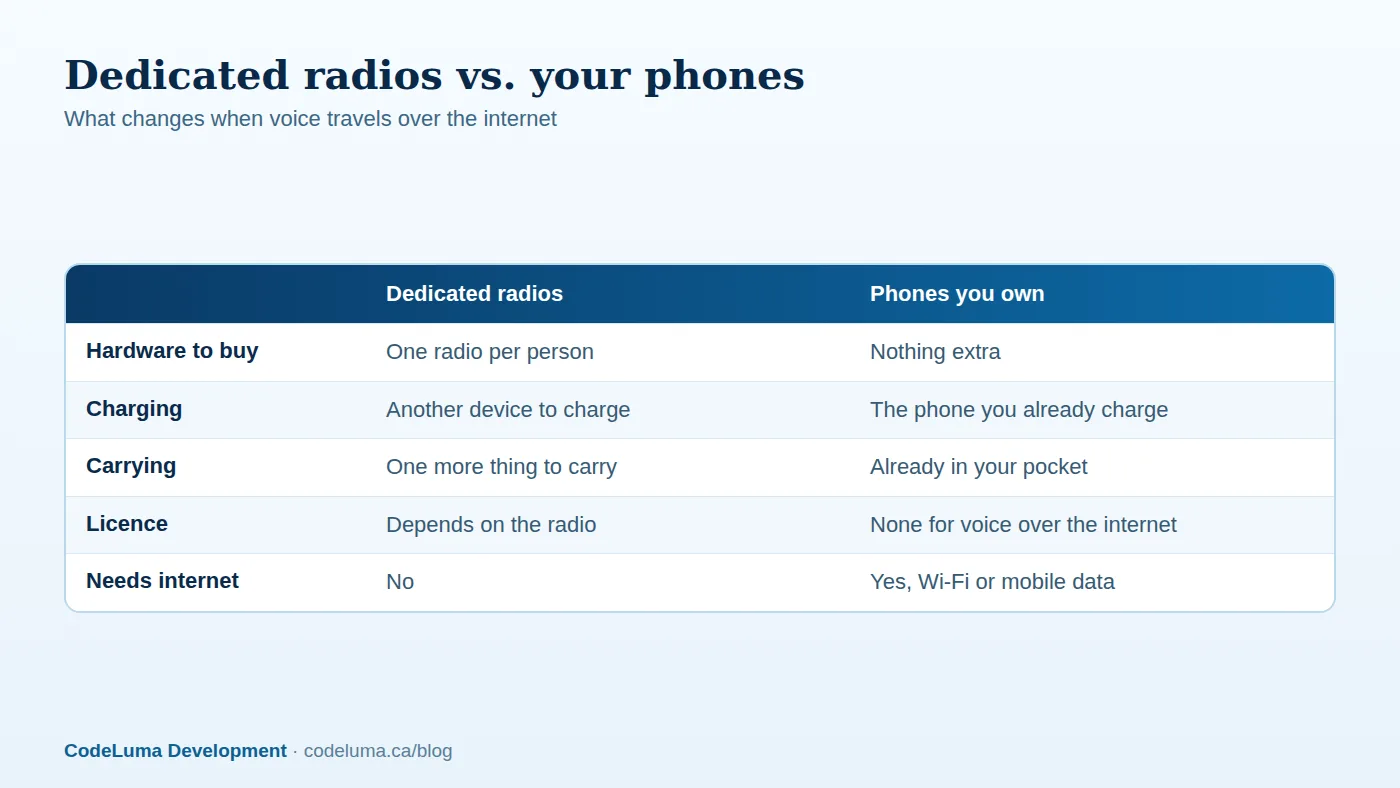
A traditional radio does one job, and you have to buy it, charge it, carry it and look after it. A phone already does most of that for you. It is with you, you already charge it, and it already has a good microphone and speaker. That is the real advantage of internet push-to-talk: there is nothing extra to buy, charge, carry or maintain.
There is one honest condition. The phone needs an internet path, whether that is Wi-Fi or mobile data. Where there is none, it cannot work.
How push-to-talk over the internet works
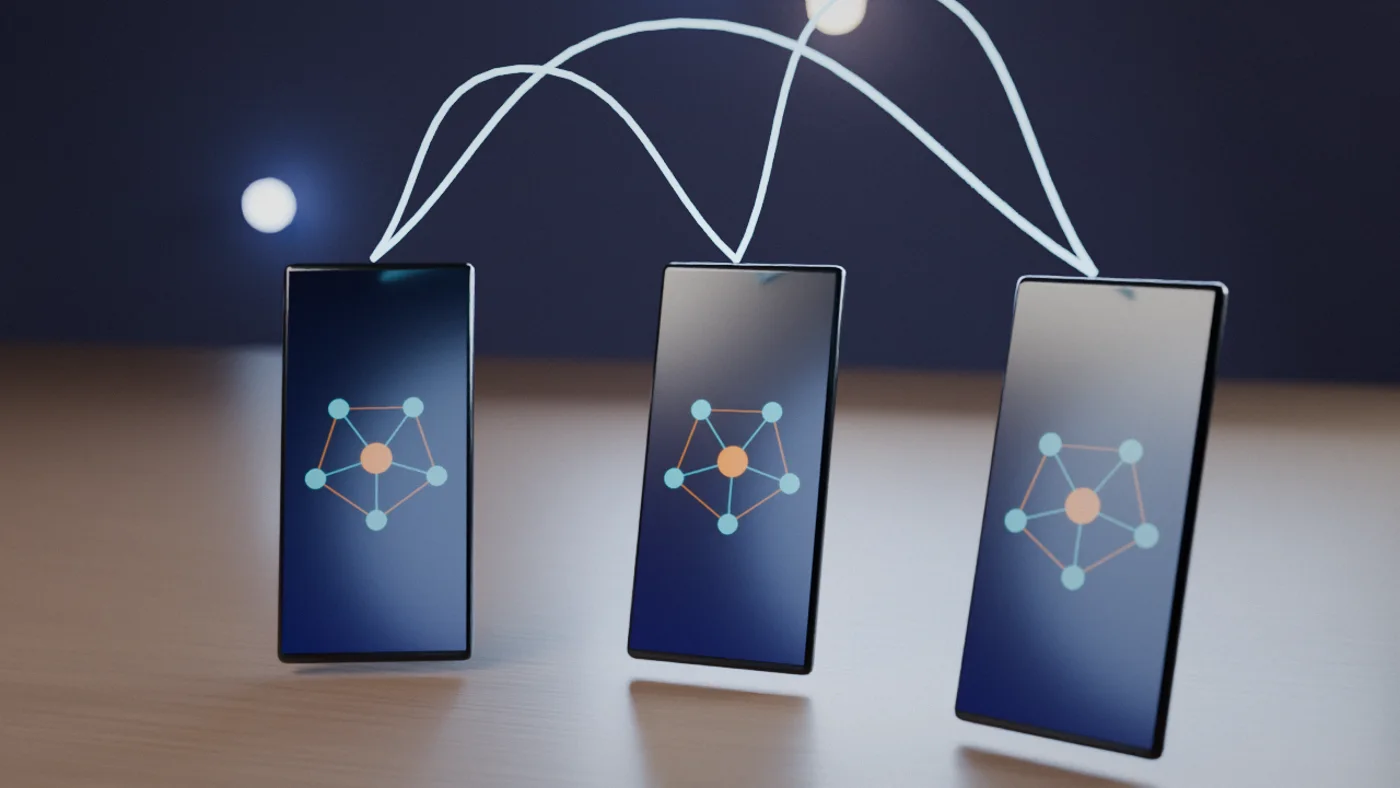
You hold the button and speak. Your voice travels over Wi-Fi or mobile data to a relay service, which passes it to everyone in the same room. When you release the button, you listen. Because the audio travels over the internet and not over radio frequencies, no amateur radio licence is needed. Satellite-backed Wi-Fi counts as an internet path too, so a remote site with that kind of link can work.
What you need before you start
- A phone or tablet for each person. Android phones and tablets use the app (APK). iPhones use an installable web app added to the Home Screen.
- An internet connection on each device.
- A channel code for the room, and a six-digit passcode if the room is private.
- Optional: a Bluetooth headset for hands-free use. A Big Screen app also exists for Google TV, Android TV and Chromebooks with Android app support, which suits a shared display.
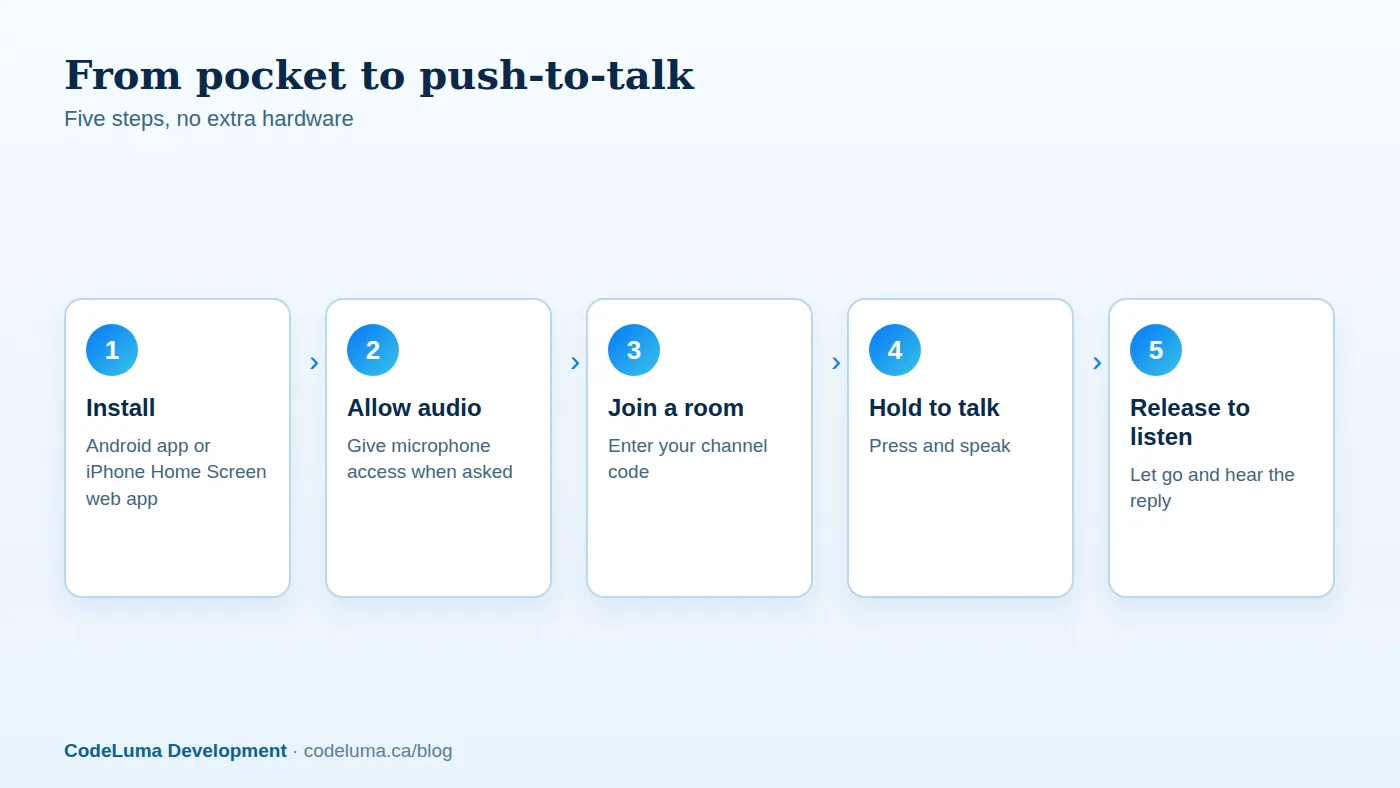
Get talking in five steps
- Install it. On Android, download the Android app. On iPhone, add the web app to your Home Screen.
- Allow microphone access when asked.
- Join a room with your channel code, and the passcode if it is private.
- Hold the button, speak, then release.
- Test with one other person before you rely on it. The how it works page walks through each step.
Why privacy comes first
Voice in Walkie Talkie HRL is encrypted in transit. In plain terms, your audio is scrambled while it travels between your phone and the service. That makes it much harder for someone on the same café Wi-Fi, or anywhere along the route, to listen in. If you want the detail, we wrote about what encrypted in transit means.
Private channels add access control. Each room has a unique channel code plus a six-digit passcode, so people need both to join. Be clear about the limits, though. Encrypted in transit is not the same as end-to-end encryption, and no online communication system can promise absolute security. Treat it as a strong everyday layer of privacy, and don't say anything on it that you would never want repeated.
Habits that keep a private room private
- Share the code and passcode only with people who belong in the room.
- Send them privately, and don't post them where strangers can read them.
- When someone leaves the team or the group, remove them. Owners can do this.
- Don't reuse passcodes from your phone unlock, bank card or anywhere else. The same goes for the six-digit PIN on a permanent account, which also uses an email address and a unique username.
- If a code has travelled further than you intended, set up a new private room with a fresh passcode.
Battery, connection and headset tips
Start the day with a charged phone, and keep a power bank handy for long shifts or long days out. Check that you have a Wi-Fi or mobile data signal before you rely on the app, and move to a better spot if audio breaks up. Listening while the screen is off or the app is in the background depends on your Android permissions and power settings. Check that battery optimisation is not putting the app to sleep, and test it before an event or a trip. A Bluetooth headset keeps your hands free and makes quiet or noisy places easier to manage.
Etiquette that keeps a channel usable
- Press, pause for a beat, then speak, so the first word is not clipped.
- Keep it short. One person talks at a time.
- Say who you are talking to and what you need.
- Release the button when you finish, so others can reply.
- Agree simple ground rules in advance for busy moments, and stick to them.
Common mistakes
- Skipping the test. Run a quick check with one person before the group depends on it.
- Denying audio permission. If you can't hear or be heard, check permissions first.
- Assuming it works with no signal. It needs an internet path.
- Sharing one passcode everywhere. Reuse makes a leak harder to contain.
- Never removing old members. Tidy the room whenever people change.
- Treating it as an emergency line. It is not one, as the next section explains.
Where it fits, and where it does not
Imagine a crew of six setting up an outdoor event. Each has a phone, and a shared room means they can call for help without hunting for radios. Imagine a family on a trip, or a group of business teams and security staff coordinating a venue. In each case the pattern is the same: a group that wants quick voice with no extra kit, and has internet.
It is not an emergency-calling service, and it is not guaranteed life-safety communication. It does not replace 911 or emergency radio systems. In an emergency, use those.
Wrap-up
The radio you would have bought is probably already in your pocket. Push-to-talk over the internet turns it into a private, hold-to-talk channel for your team, family or crew, with voice encrypted in transit and access controlled by a channel code and six-digit passcode. Make sure everyone has a signal and permissions set, then install, join a room and test it with one other person. For common questions on compatibility, accounts and rooms, see the questions and answers page.
Try Walkie Talkie HRL
You do not need to buy anything to find out whether this suits your group. Start with the phones you already have: install the app, or add it to an iPhone Home Screen, and try a room with one other person. If your group needs privacy, look at private channels next.
- Download the Android app - install Walkie Talkie HRL on your Android phone or tablet.
- Install on iPhone - add the web app to your iPhone Home Screen.
- How it works - install, allow audio, join a channel and hold to talk.
- Private channels - access-controlled rooms with a channel code and six-digit passcode.
Private, instant and already in your pocket. Walkie Talkie HRL turns the phone you already own into a push-to-talk walkie-talkie. Voice is encrypted in transit; no online service can promise absolute security. It is not an emergency-calling service.